todopod
TodoPod - A Task Manager for your Secure and Private Solid Pod









TodoPod is a Trello-like app that manages your tasks, viewing tasks through a task list, kanban, or planner. All tasks are securely and privately stored encrypted on your own personal online data store (Pod). Your Pod sits in a personal Data Vault on a Solid server in the cloud, where everything is stored encrypted and stays within the Pod. No data leaves the Pod unless you explicitly export it, so you stay in control. The app is supported by Togaware and implemented by Graham Williams using Flutter’s SolidUI package for cross platform development.
Solid Pods are a new approach to handling your personal data on the World Wide Web and is the latest innovation from the inventor of the WWW, Sir Tim Berners-Lee. Obtain a Pod for yourself on any Solid server and link it to your app.
We make this project available for free so if you appreciate the app then please show some ❤️ and tap on the star at GitHub to support our work. See the AU Solid Community showcase for many more apps using the Solid ecosystem.
The latest version of the app can be run online at todopod.solidcommunity.au with no installation required though requiring a Solid login, or downloaded and installed for your platform from the Solid Community AU repository:
Installation details are available for all platforms.
Contributions are welcome. Visit github to submit an issue or, even better, fork the repository yourself, update the code, and submit a Pull Request. The app is implemented in Flutter using solidui. Thanks.
Introduction
TodoPod is a Solid Flutter app to manage todo/task lists based on the open standard todo.txt format. Tasks can be imported and exported from other apps using the todo.txt format. Each item has a title, notes, priority (A=now, B=today, C=this week, D=next week, E=later, and F=parked), together with optional due date, duration, project (to collect together related tasks), and a context (where the task is to be undertaken). You can view your tasks in an ordered list, a kanban board, or as a planner/calendar. The app is multi-platform so you can install it for your desktop or mobile device, or run it directly through a web browser, all accessing and updating the tasks encrypted within your Pod.
Quick start
The typical workflow is:
- Add a task by typing in the search bar and pressing ENTER, or by tapping the + button. Anything you type becomes the new task’s title.
- Set a priority (A through F) and any optional due date, duration, project tag, or context.
- Work through your tasks in the view that suits you — the ordered list, the kanban board, or the planner calendar.
- Complete a task by tapping its checkbox. It moves to the Done list, where you can restore it with another tap if you change your mind.
The seven screens
A left-hand menu (or bottom navigation on narrow screens) gives you:
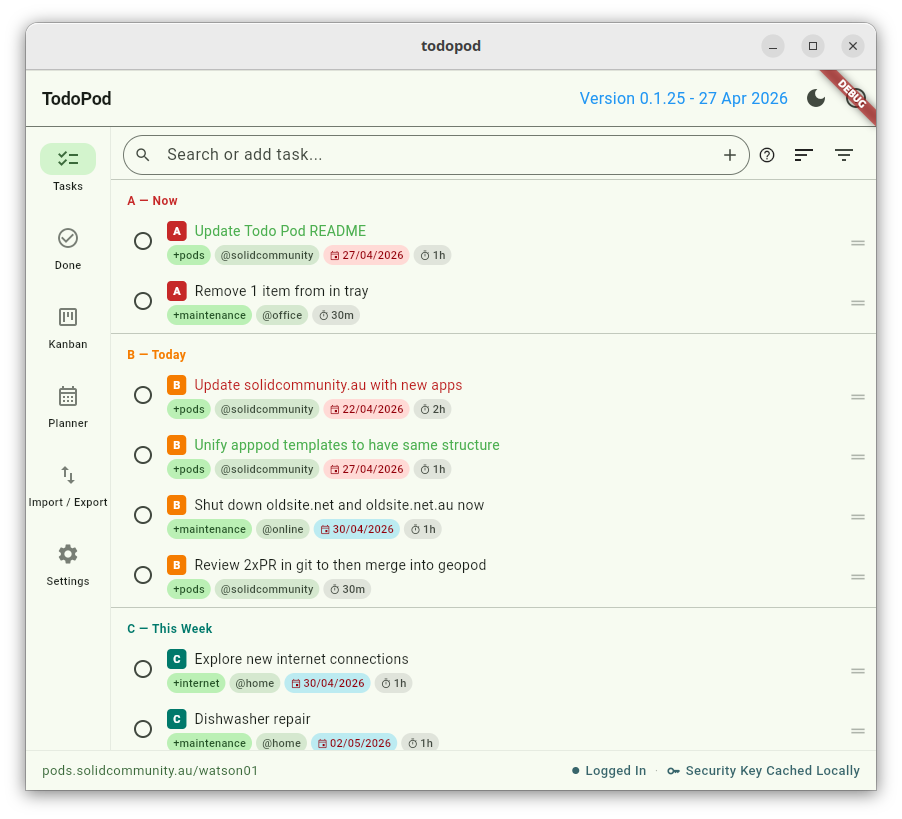
Tasks
Your todo list, ordered by priority. The main place you spend time.
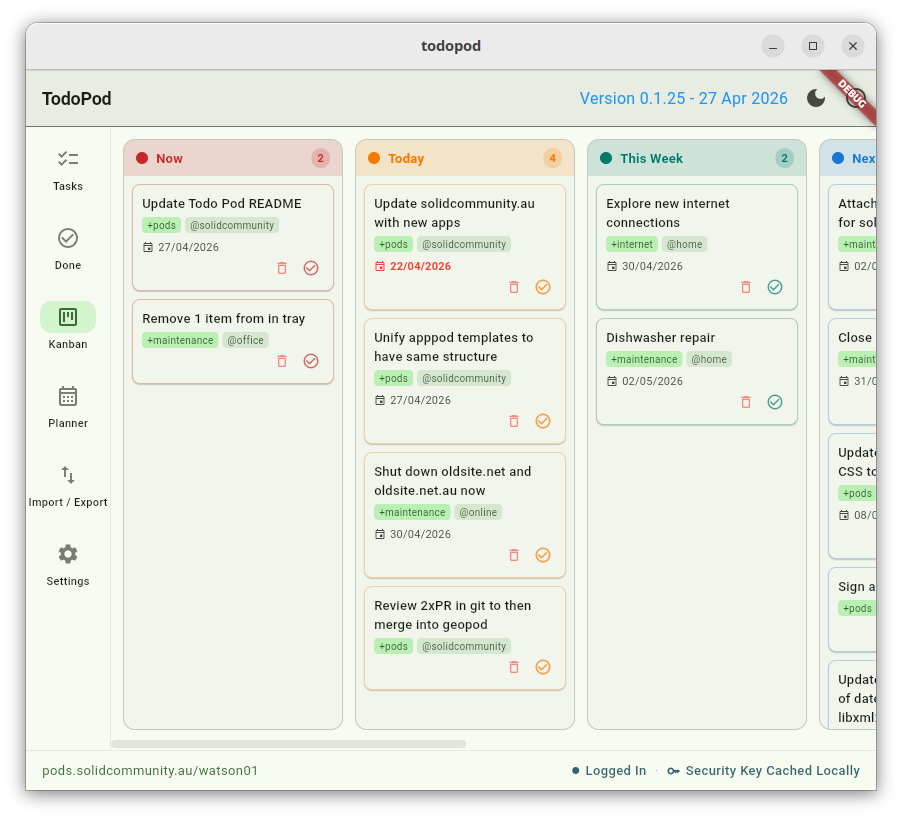
Kanban
A board view showing tasks grouped by priority (A through F). Long-press and drag a card to change its priority — useful for quickly reshuffling what’s most important.
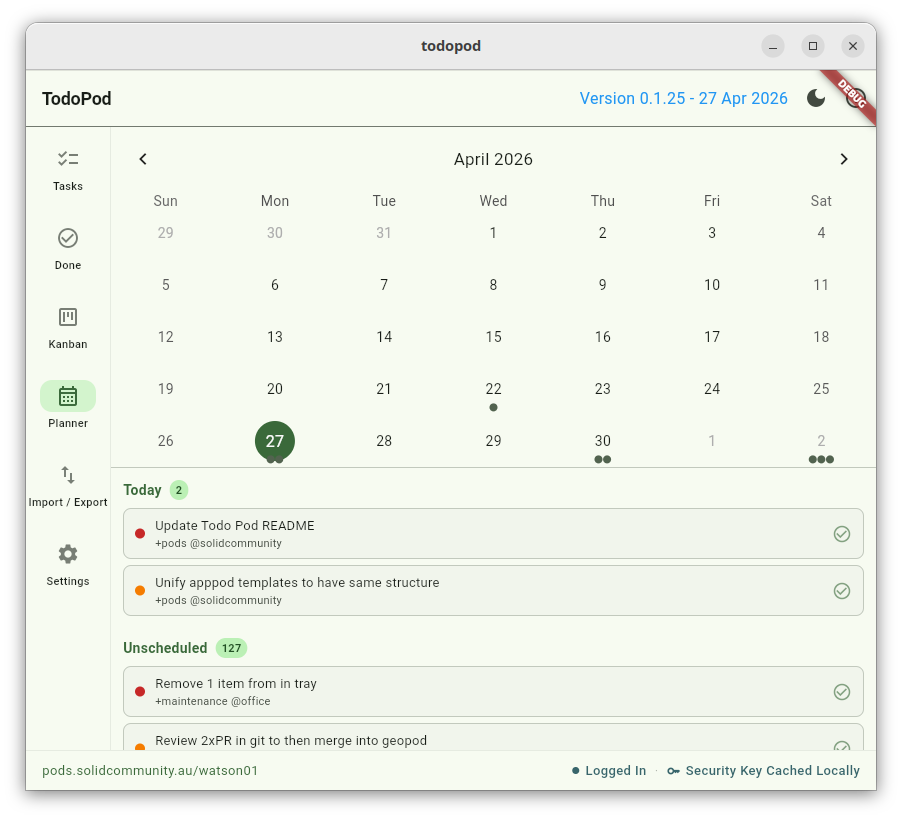
Planner
A calendar view of tasks by due date. Tap a day to see what is due that day. Good for spotting a heavy week ahead.
Overdue
Tasks whose due date has passed and that are not yet done, oldest first, each labelled with how late it is. Tap a task to reschedule or edit it, or tap the checkbox to mark it done. A task due today is not overdue — there is still time. Use the reverse-order button to list the most recently overdue tasks first; the choice is remembered on this device.
Done
Completed tasks, kept for record-keeping. Tap the checkbox of any completed task to restore it to your active list.
Import / Export
Bring tasks in from a todo.txt or JSON file, or save a backup. See Backup and import below.
Settings
A priority guide, sharing preferences, and other app settings.
Adding and editing a task
New tasks are added by typing in the search bar and pressing ENTER — whatever you type becomes the title — or by tapping the + icon.
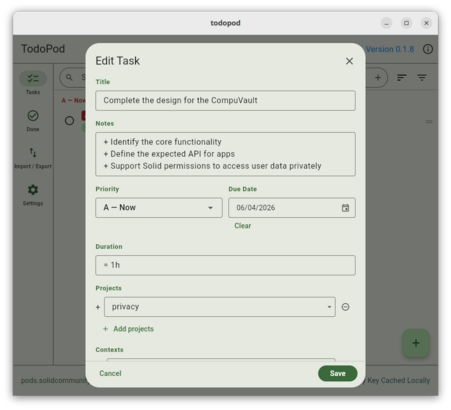
After saving, the task appears in the list:
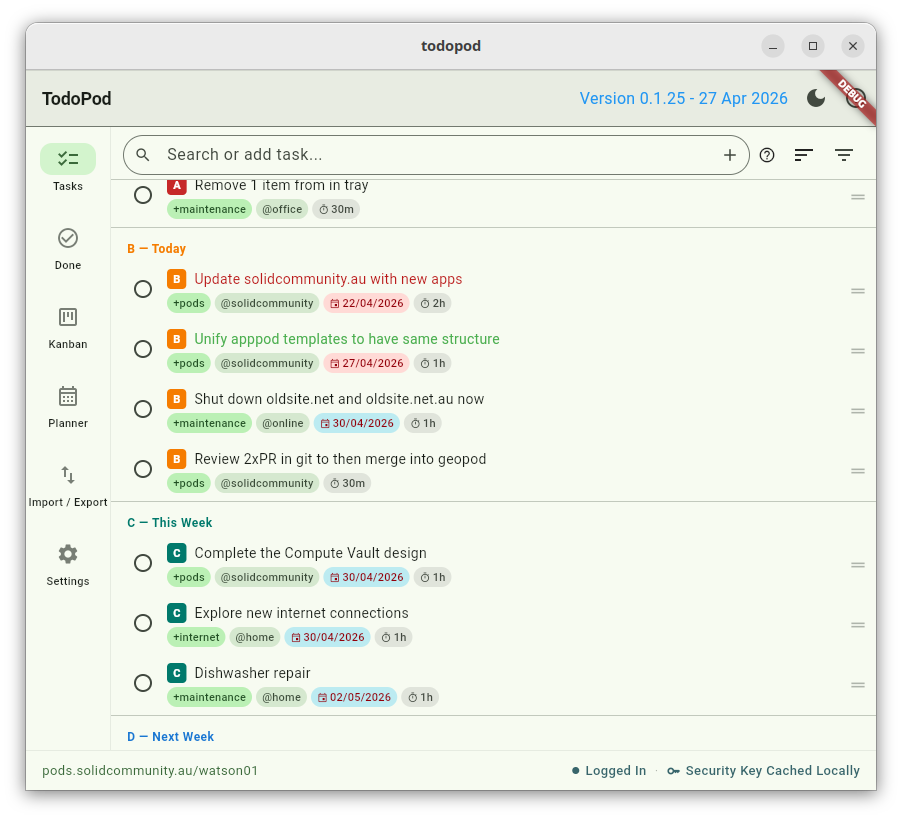
The edit form captures:
- Title — the headline description of the task
- Notes — free-text detail, multi-line
- Priority — A (now), B (today), C (this week), D (next week), E (later), F (parked)
- Due date — optional
- Duration — estimated time the task will take
- Projects — tags collecting related tasks (todo.txt
+projectsyntax) - Contexts — tags for where the task is done, e.g.
@home,@phone(todo.txt@contextsyntax)
Tap any task to edit it. The same form opens.
Working with tasks in the list
Hover over a task (desktop) or long-press (mobile) to see its full details inline:
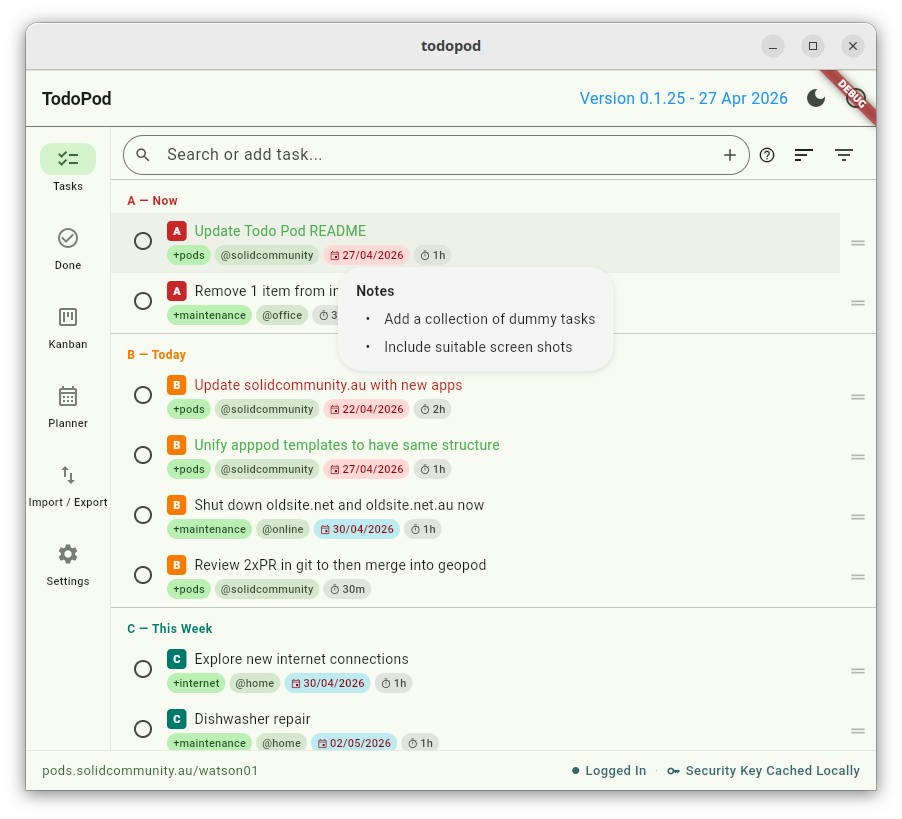
Other gestures:
- Tap — open the task to edit.
- Tap the checkbox — mark complete; the task moves to Done.
- Drag the right-hand handle — reorder a task within the list.
- Swipe left — delete the task (with confirmation).
- Delete icon — the in-row delete button (same effect as swipe).
Search
The search bar at the top of the Tasks screen matches plain text against the task title, notes, and tags. Type to filter; press ENTER on an unmatched query to create a new task from that text.
Clear the search with the × on the right of the field, or just delete the text. The list updates as you type.
Sharing tasks with others
TodoPod supports sharing your task lists with other Solid Pod owners. Open Settings to:
- Manage Todo.txt permissions — grant or revoke another WebID’s access to your active task list.
- Manage Done.txt permissions — grant or revoke access to your completed task list separately, so you can share one without the other.
- View shared resources — open task lists that other Pod owners have shared with you.
Permission level (read-only or read/write) is controlled per WebID through the standard Solid permission flow.
Backup and import
TodoPod uses the open todo.txt format, so your tasks are not locked into the app. You can:
- Import from todo.txt — bring tasks in from any todo.txt-compatible app. New items are merged; duplicates (matching ID) are skipped.
- Import from JSON — restore from a TodoPod JSON backup.
- Export to todo.txt — saves a
todo.txtfile ready to share with other todo.txt apps. - Export to JSON — saves a full TodoPod backup with all metadata.
Exports save with timestamped filenames (e.g.
todopod_backup_20260520_1430.txt) so you can keep multiple
snapshots.
About info
Tap the info (ℹ) button in the top app bar at any time to see a brief about-the-app dialog with the version number and a short summary of how TodoPod works.
Data and privacy
All tasks are stored in your Solid Pod as Turtle files (todo.ttl
for active tasks and done.ttl for completed ones) in the
todopod/ directory. You authenticate to your Pod when you start
the app, and your security key (used to read and write the encrypted
data) is managed through the standard SolidPod flow shown in the
status bar.
If you log into a fresh Pod, TodoPod creates the directory and empty task files on first save. Nothing about your tasks ever leaves your Pod unless you explicitly share it with another Pod or you export it as todo.txt or JSON.
License
GNU General Public License v3. See LICENSE or
https://opensource.org/license/gpl-3-0.
Copyright (C) 2026, Togaware Pty Ltd.